Manage Codex and
Claude Code CLI from one native hub.

AgentHub 2.0 brings Codex and Claude Code into one native workspace for terminals, worktrees, diffs, GitHub context, and design review.

Claude Code + Codex CLI Local-first · MIT
Claude Code Codex Worktrees + diffs Design mode AgentHub cube logo
// cmux-style integration

Cmux-style integration

Split panes horizontally and vertically within each tab, then manage Claude and Codex sessions simultaneously from the same workspace.

AgentHub showing Codex and Claude sessions running side by side with horizontal and vertical split panes.
// worktrees

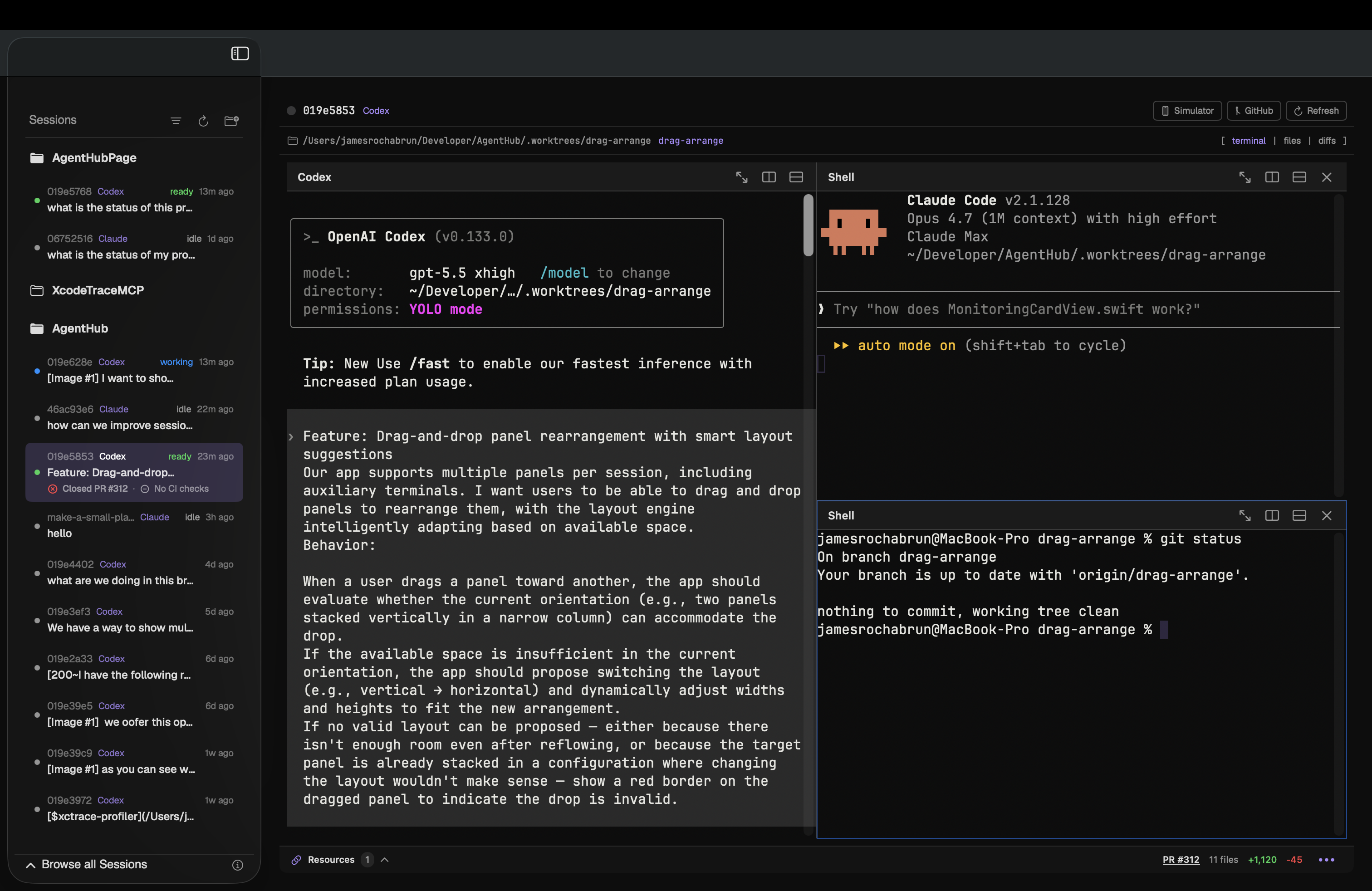
Easy worktrees creation and management

Create isolated branches, attach Claude or Codex sessions, and keep parallel tasks visible without leaving the Hub.

AgentHub macOS app showing a Codex session, session sidebar, GitHub controls, and pull request status.
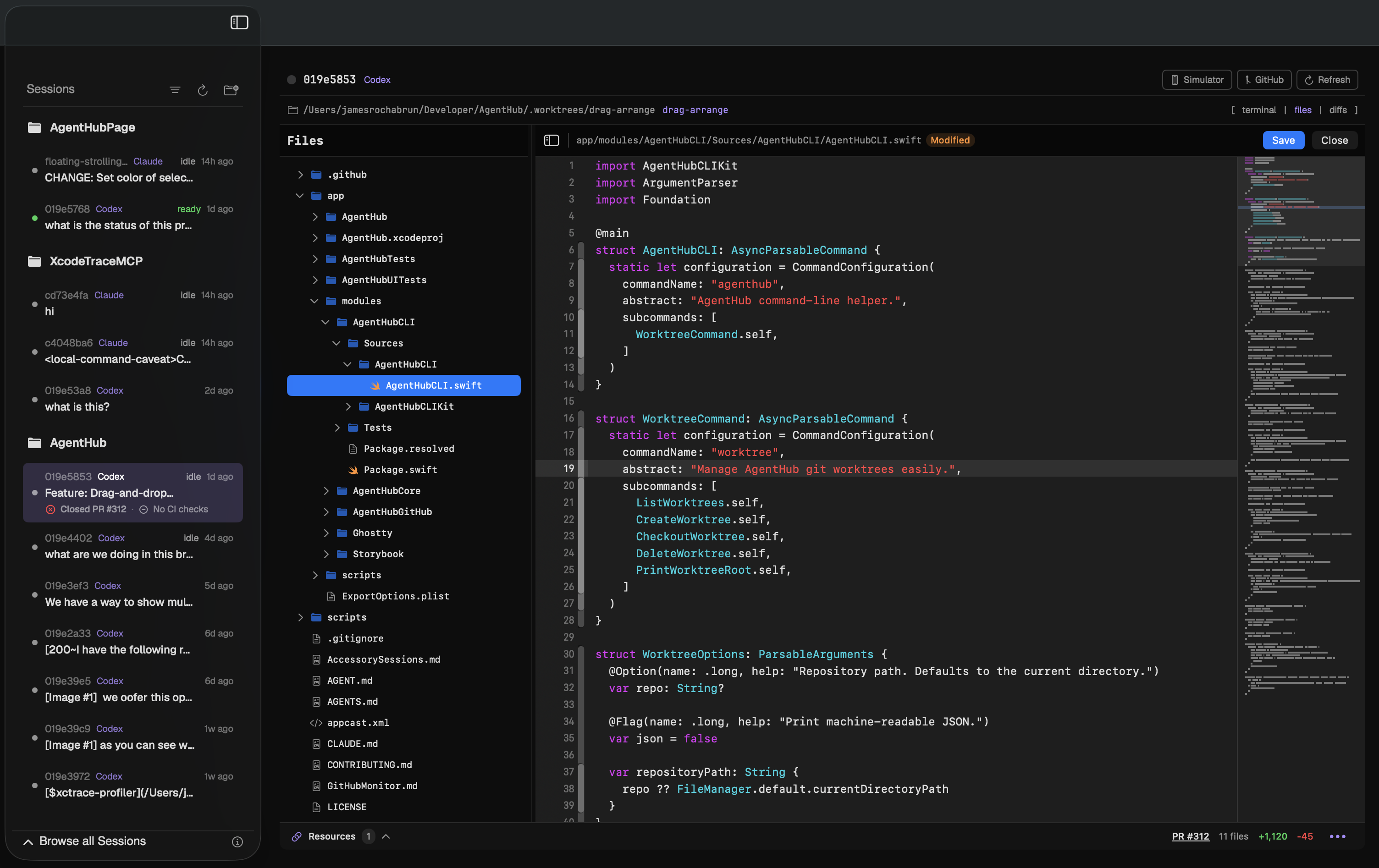
// files + editor

Switch from coding agent to manual code editor

Open the Files pane from a running session, inspect the project tree, edit code directly, save the file, and keep the agent context in view.

AgentHub showing the Files pane and built-in code editor with a Swift file open.
// diffs + review

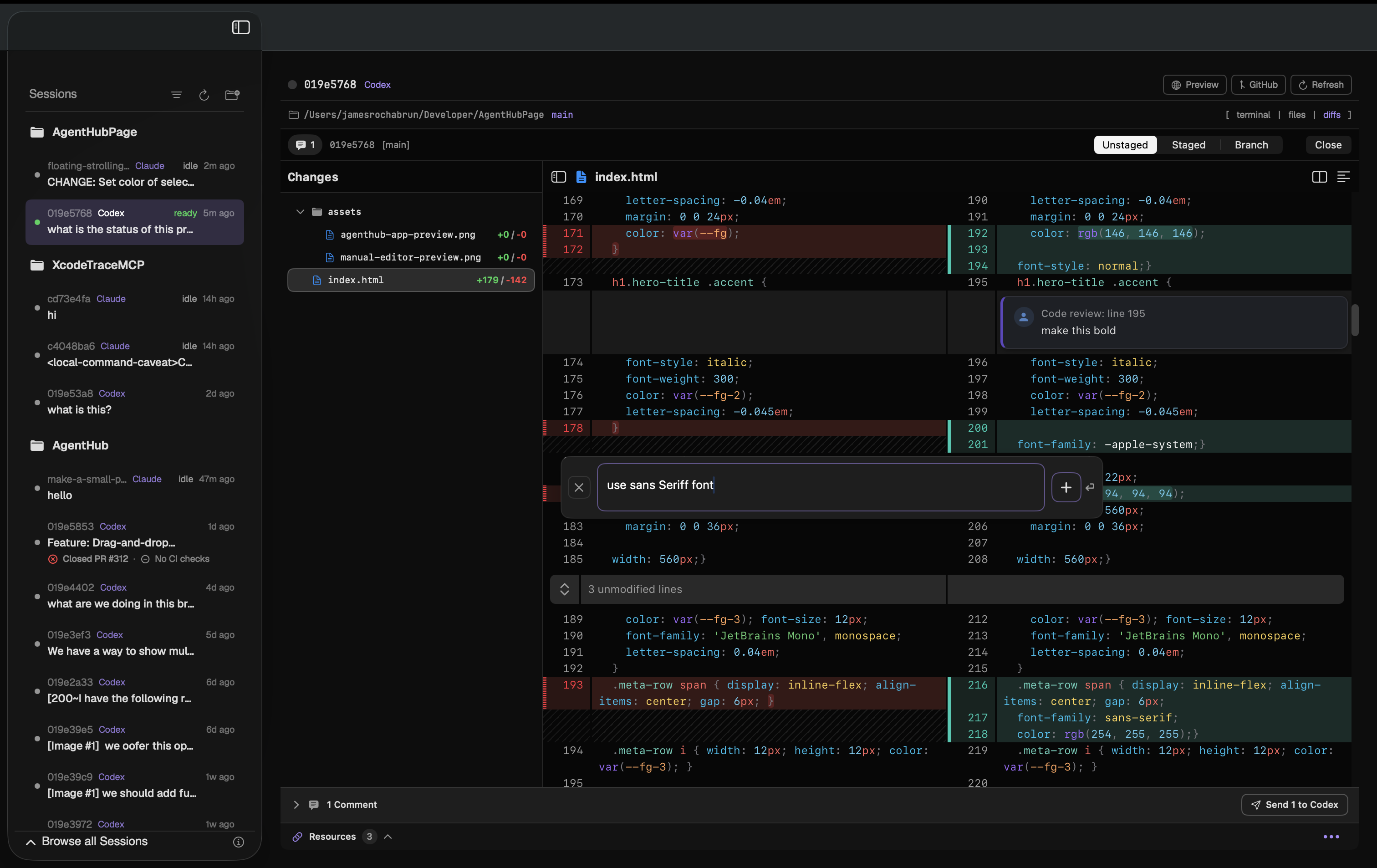
Fast diffing from local changes

Review unstaged edits inline, collect suggestions like a pull request review, then send the full feedback batch to Claude or Codex without leaving the app.

AgentHub showing local file diffs with inline review comments ready to send to Codex.
// github + prs

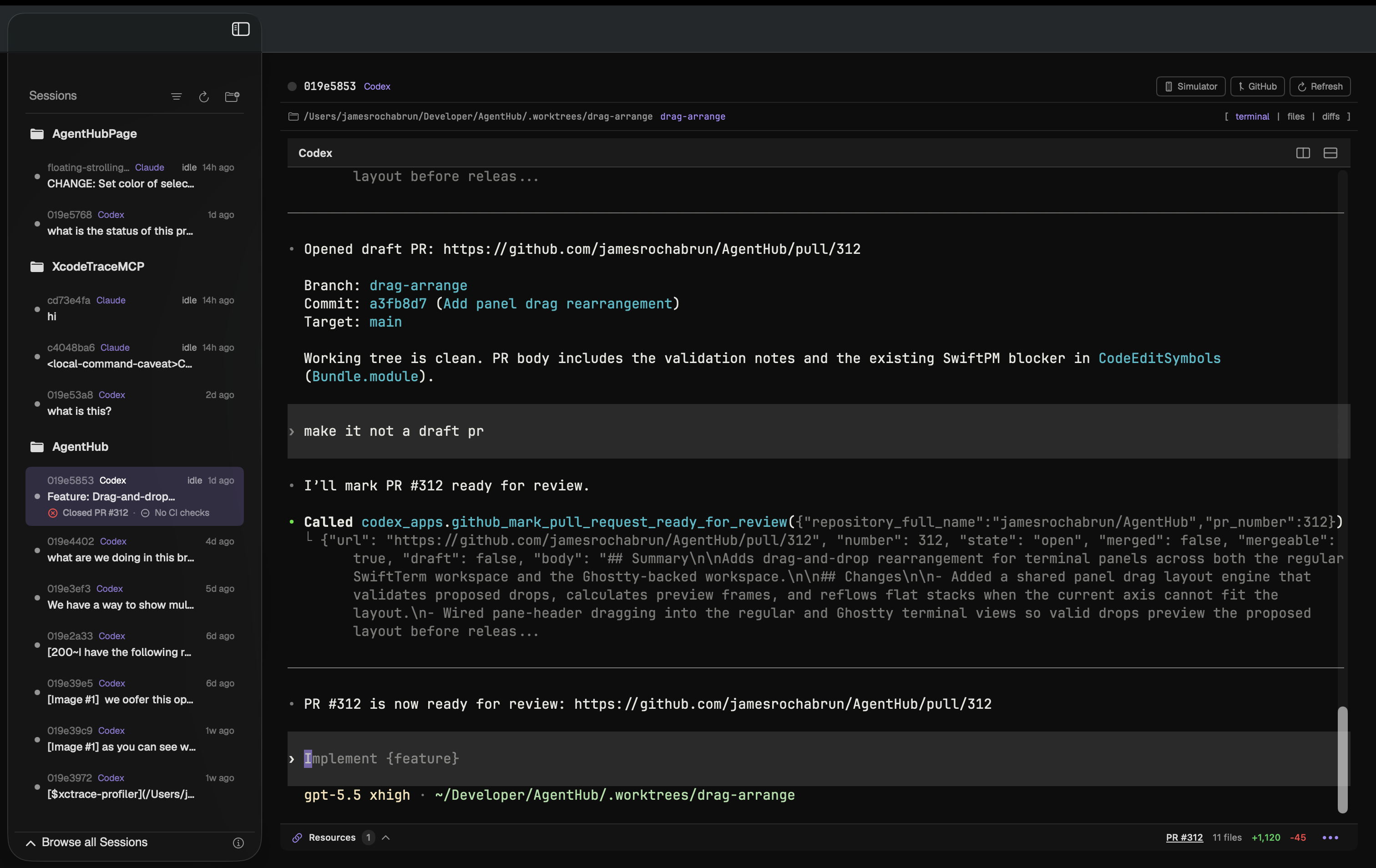
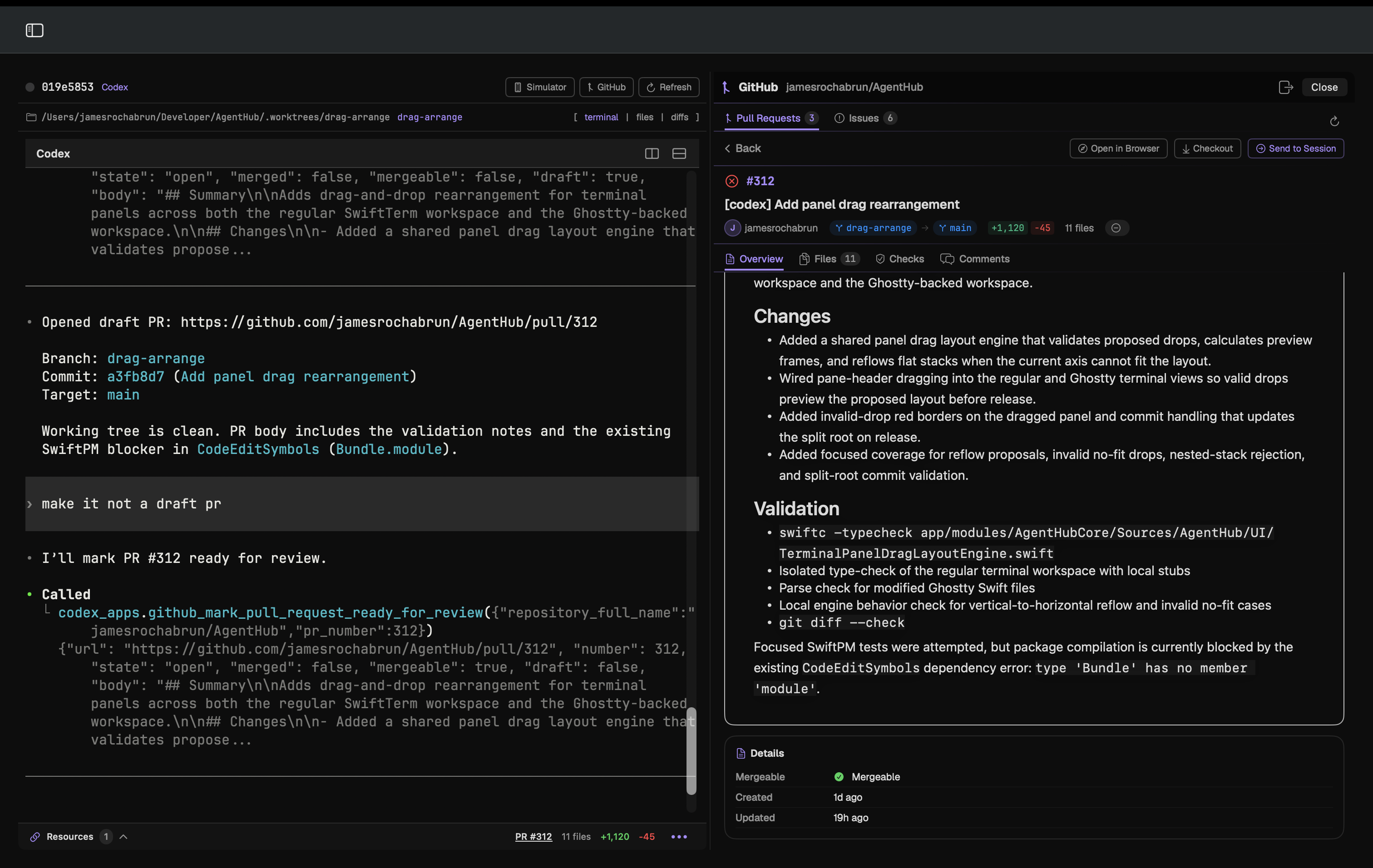
Visualize PRs beside the agent session

Open the GitHub side panel, inspect pull request details, then drag PR context into the active Claude or Codex session for code review without leaving AgentHub.

AgentHub showing a GitHub pull request side panel beside an active Codex session.
// github + issues

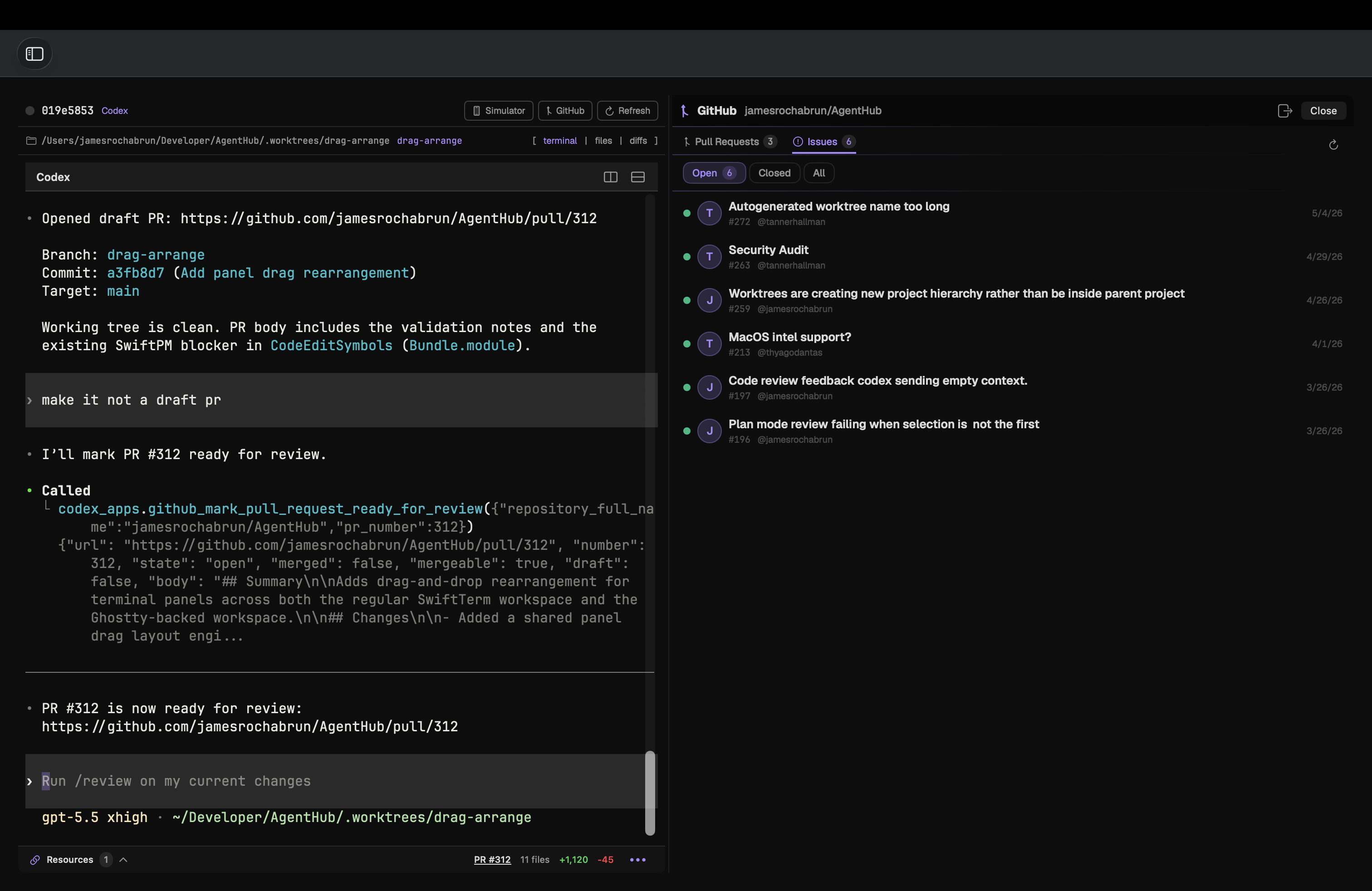
Keep issues beside the work that fixes them

Browse open issues in the GitHub side panel, keep repository context next to the terminal, and send issue details into Claude or Codex when it is time to implement.

AgentHub showing GitHub issues in the side panel beside an active Codex session.
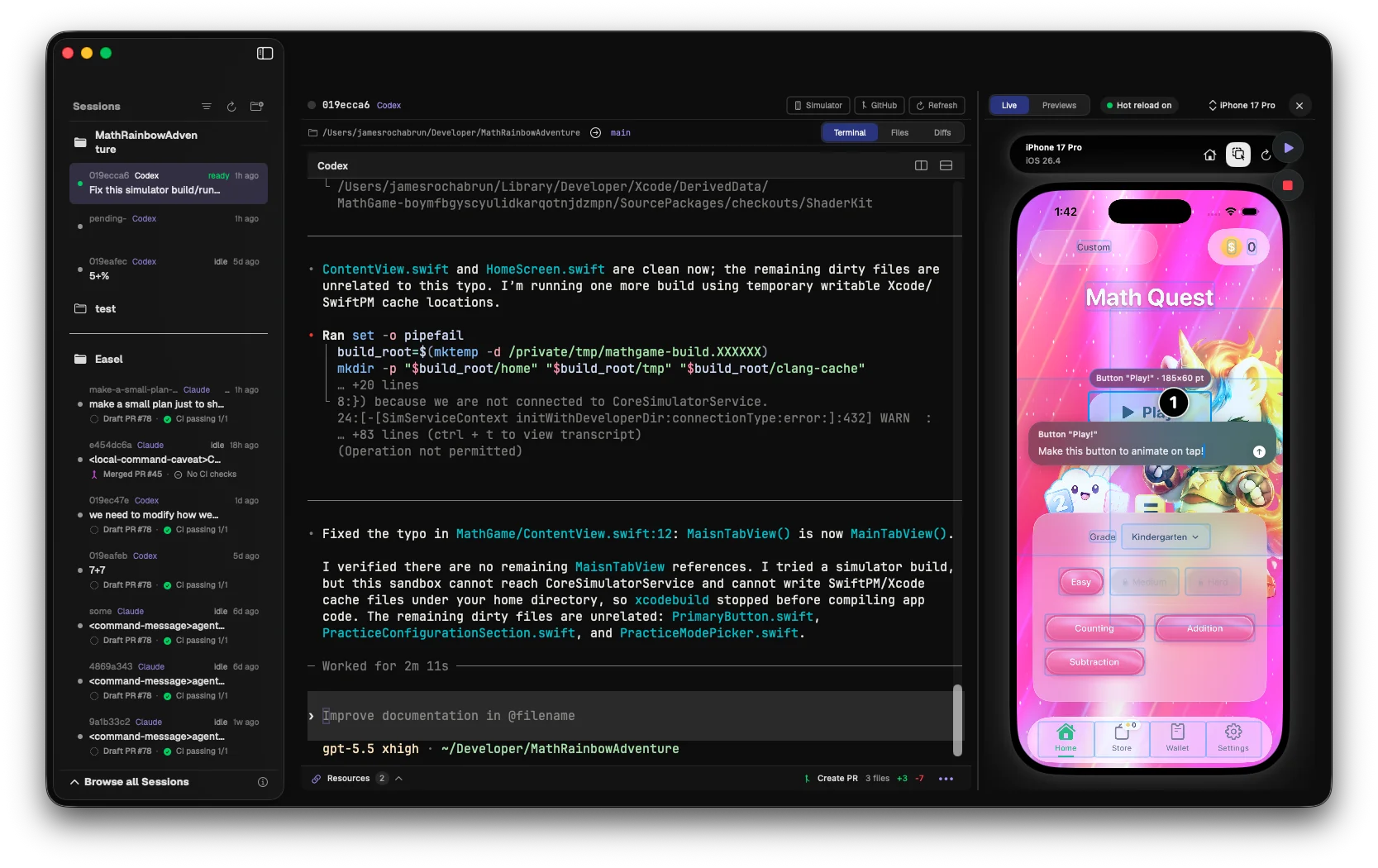
// design mode

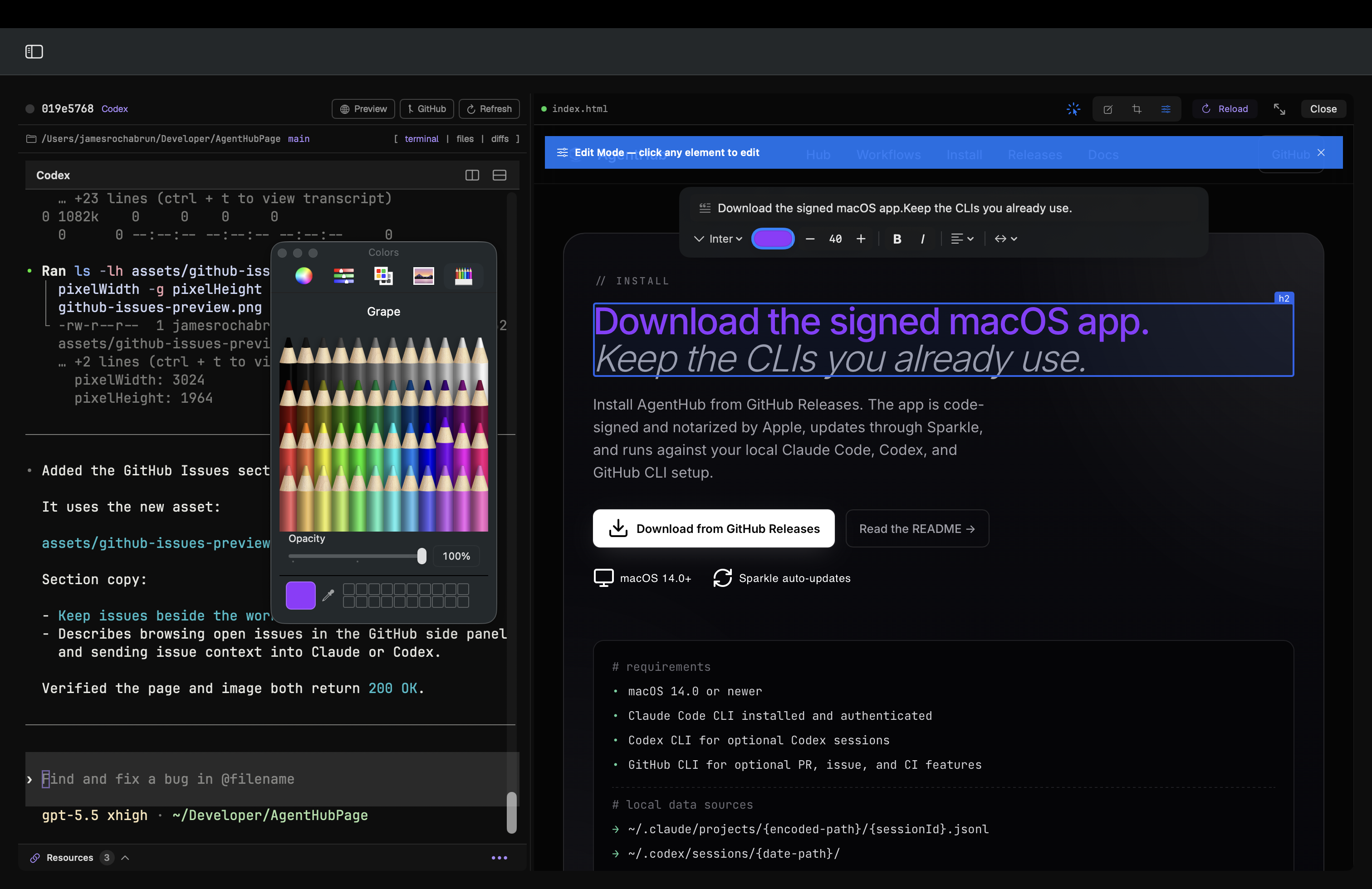
Edit the live preview with familiar tools

Select text and UI elements directly in the web preview, use familiar typography and color controls, and make inline design changes without switching away from the agent session.

AgentHub showing Design Mode controls editing text directly in the live web preview.
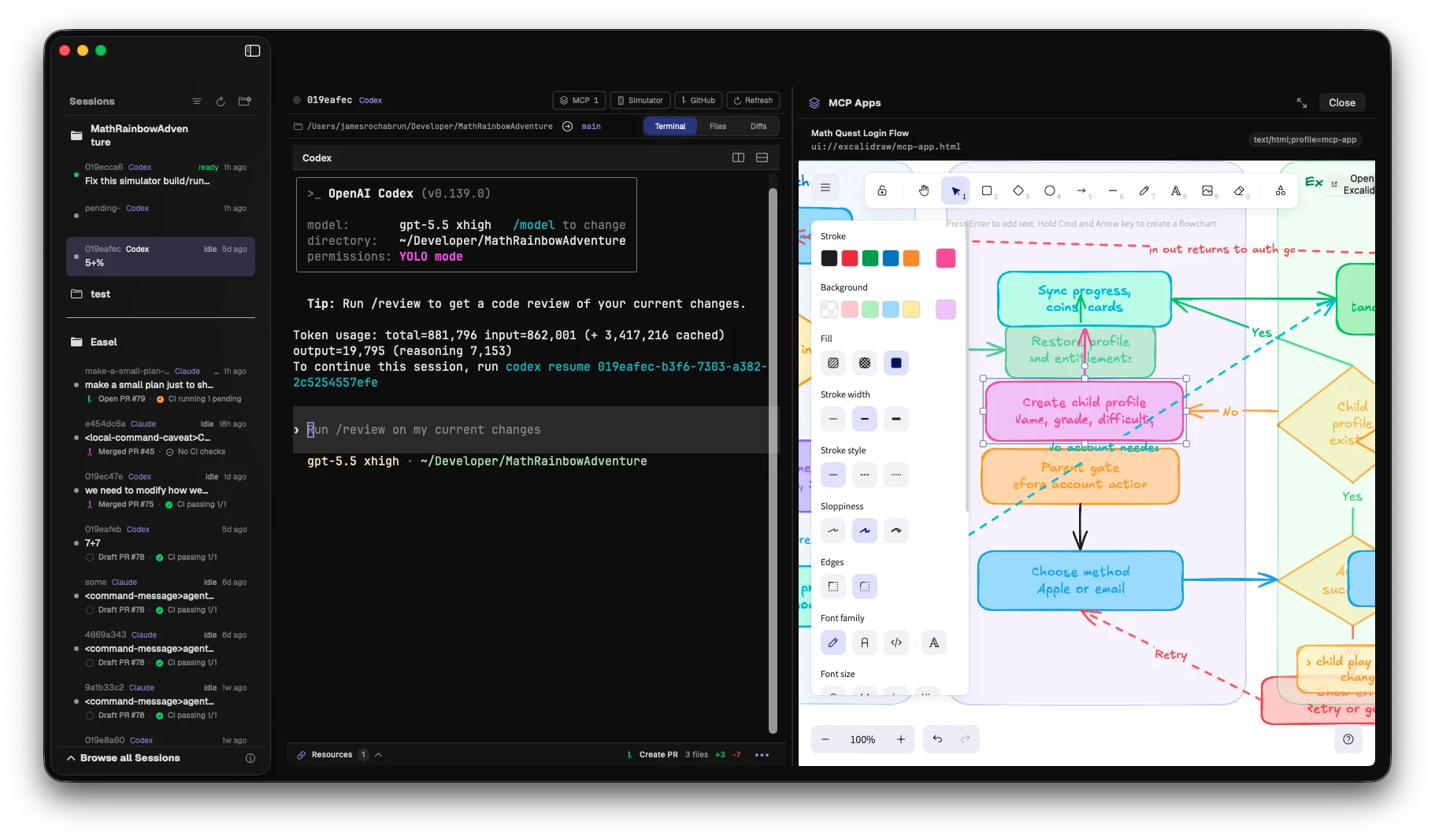
// plan mode

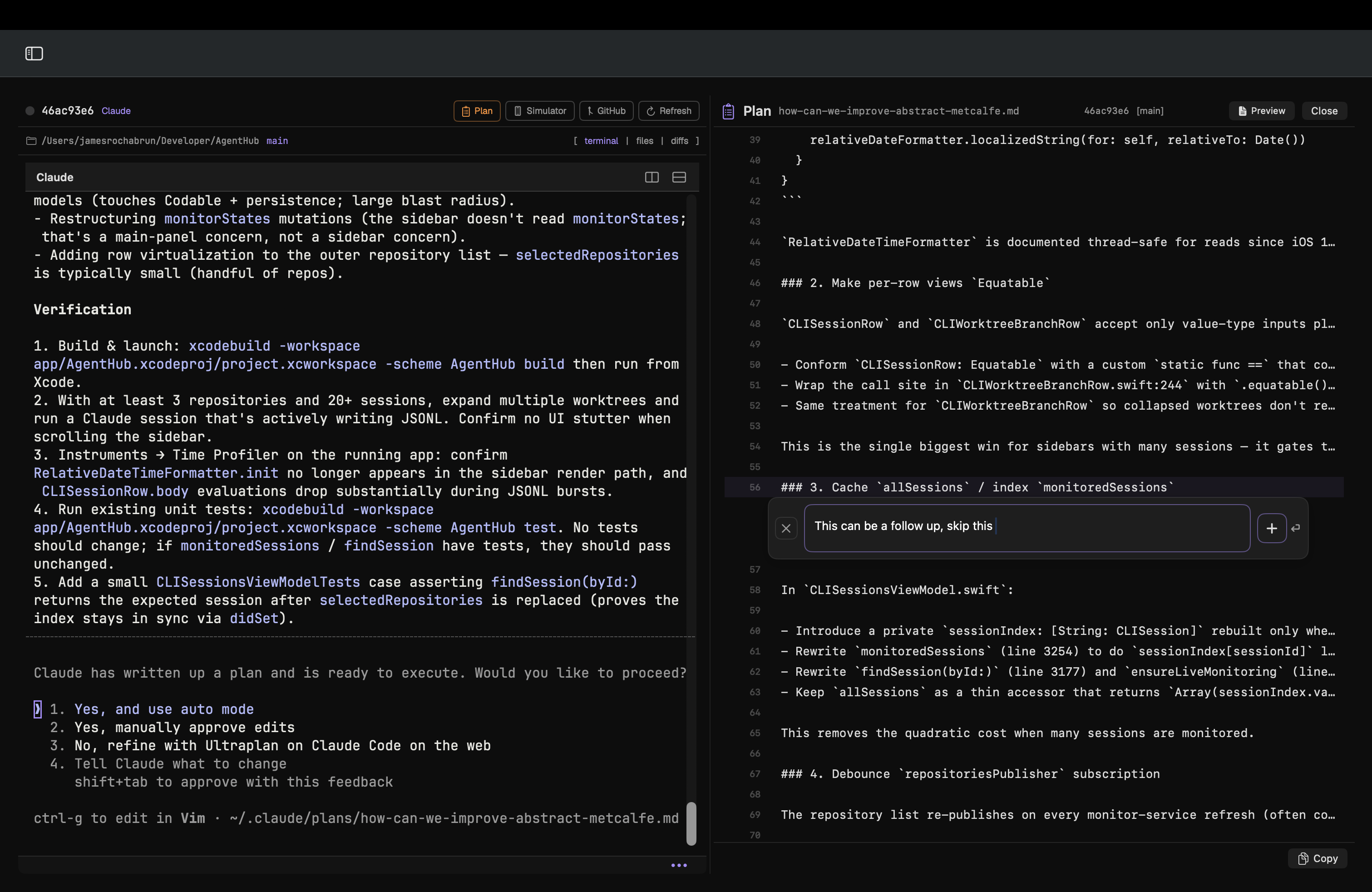
Review plans inline before execution

Read generated plans beside the running session, comment on specific lines, and send the feedback back to Claude or Codex before implementation starts.

AgentHub Plan Mode showing a plan document with inline feedback ready to send to Claude or Codex.

Stay in flow while the work keeps moving.

Track updates with local notifications, watch PR status inline, and keep Git activity visible beside the sessions doing the work.

01

Real-time monitoring

Watch Claude Code and Codex sessions update live, with local notifications when a session needs attention.

02

Embedded terminals

Resume or start sessions in full PTY terminals powered by SwiftTerm, directly inside each monitoring card.

03

Pending diff review

Inspect pending edits as focused diffs, leave inline review notes, and send precise change requests back to Claude or Codex.

04

Design mode

Preview the app, inspect selected regions, crop screenshots, and make inline copy or style edits from Design Mode.

05

Worktree management

Create and delete worktrees from the UI, launch sessions on new branches, and keep parallel tasks isolated.

06

Web preview and Storybook

Open agent-started localhost servers, recover recent preview URLs, or launch Storybook when a project supports it.

// install

Download the signed macOS app.
Keep the CLIs you already use.

Install AgentHub from GitHub Releases. The app is code-signed and notarized by Apple, updates through Sparkle, and runs against your local Claude Code, Codex, and GitHub CLI setup.

macOS 14.0+ Sparkle auto-updates
# requirements
macOS 14.0 or newer
Claude Code CLI or Codex CLI installed and authenticated
GitHub CLI for optional PR, issue, and CI features